

Amazon Product Video Requirements: Pre-Upload Checklist
Check Amazon product video requirements, language, visible text, metadata, and upload status before submitting an existing listing video.

Amazon Product Video Requirements: Pre-Upload Checklist
Amazon product video requirements depend on the exact placement and the current guidance in your Seller Central account. For a product-detail-page shoppable video, work through six checks in order: confirm the placement, verify the live upload requirements, and audit the existing file's language and visible content. Then decide whether to reuse, localize, or rebuild it, submit it with the correct metadata, and inspect its status and display afterward.
This guide covers product-detail-page shoppable videos only, and it must not be applied to ads, A+ Content, Stores, DSP, or Prime Video. If your preflight check finds source-language subtitles burned into the frames, see the guide to localize an existing product video for that specific task.
Key Takeaways
- This checklist covers product-detail-page shoppable videos only; do not apply it to ads, A+ Content, Stores, DSP, or Prime Video.
- Amazon's
Language of videofield is submission metadata; it does not translate speech, burned-in subtitles, or any other visible text inside the file (Amazon, May 12, 2025). - Public requirement values change over time, so confirm them in your live, authenticated Seller Central account before you submit.
Start With the Exact Amazon Video Placement
This checklist covers product-detail-page shoppable videos only, and it must not be applied to sponsored ads, A+ Content, brand Stores, DSP, or Prime Video, since those placements are outside its scope.
Amazon's May 12, 2025 seller guide describes shoppable videos as pre-recorded product videos that can appear in the main media block and lower video section of a product detail page, as well as in Amazon search results, subject to Amazon's own eligibility and display conditions. This checklist applies to those Amazon listing video requirements only.
| In scope | Out of scope for this guide |
|---|---|
| Product-detail-page shoppable video | Sponsored or advertising video |
| A+ Content video | |
| Store video | |
| DSP video | |
| Prime Video content |
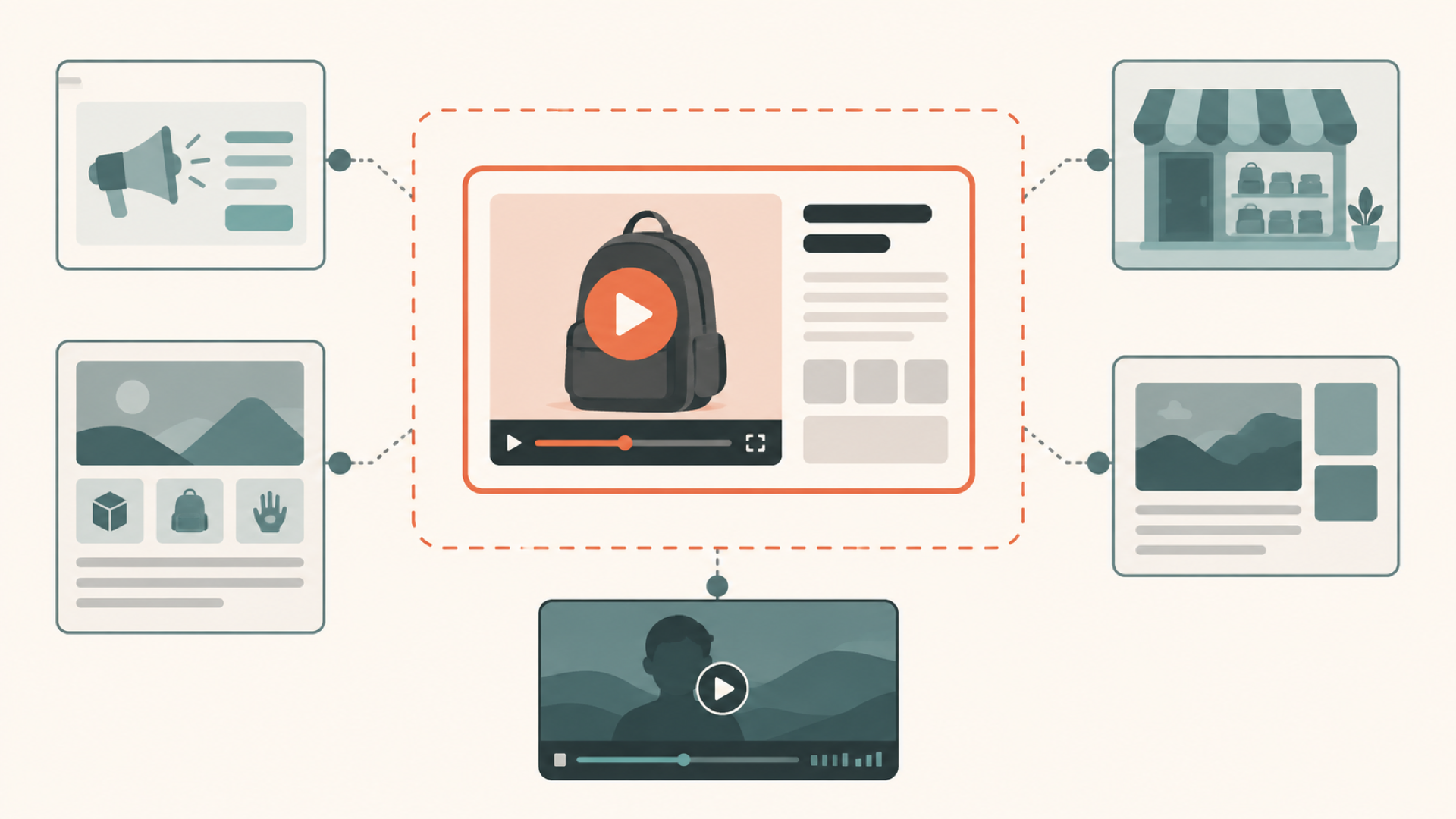
If you are working on an ad, A+ module, Store page, DSP asset, or Prime Video asset, check that placement's own specification page instead of applying the values below.
Check the Current Product Video Requirements in Seller Central
Treat your live, authenticated upload interface as the final authority, because menus and limits can change after this guide is published. The values below come from Amazon's seller guide, published May 12, 2025, and are recorded here as a dated reference point, not a permanent specification.
| Check | Public guide value (May 12, 2025) | Verify now |
|---|---|---|
| Format | MOV or MP4 recommended | Confirm in Seller Central before upload |
| Resolution | Up to 1080p | Confirm in Seller Central before upload |
| File size | Up to 5 GB | Confirm in Seller Central before upload |
| Duration | 1 to 12 minutes | Confirm in Seller Central before upload |
| Thumbnail | System-generated or custom (JPG, PNG, GIF, or BMP) | Confirm in Seller Central before upload |
These product video upload requirements (Amazon, May 12, 2025) are technical eligibility limits, not performance advice.
Audit an Existing Video Before You Upload It
Before you submit an existing product video, review it in layers. This worksheet is a practical preflight synthesis based on Amazon's documented submission workflow, not a quoted Amazon policy.

Check the file and destination
Confirm the container, resolution, file size, and duration against the values above, and confirm that the asset is actually destined for the product detail page rather than an ad or Store placement. Check the thumbnail separately, since a system-generated thumbnail may not represent the video the way a custom one does.
Check language metadata and language inside the file
An existing product video often carries language in two separate layers, and Amazon's submission workflow only addresses one of them directly. The Language of video field is a drop-down selection in the documented Upload and Manage Videos workflow. Amazon's guide does not say that this selection changes the spoken audio, hardcoded subtitles, on-screen labels, or any other visible text baked into the frames. Treat the metadata field and the video's actual content as two checks, not one: select the accurate Language of video value, then separately inspect the speech and any hardcoded or burned-in subtitles for the destination market.
Check product and package information separately
Review labels, packaging, prices, units, and product claims by watching the full video at normal and small-screen size. This review has to be manual. Do not assume a translated subtitle track or a language metadata change has touched packaging text, pricing, or claims, because those elements sit outside both of those checks.
Decide Whether to Reuse, Localize, or Rebuild the File
Once the audit is complete, route the file down one of three paths.
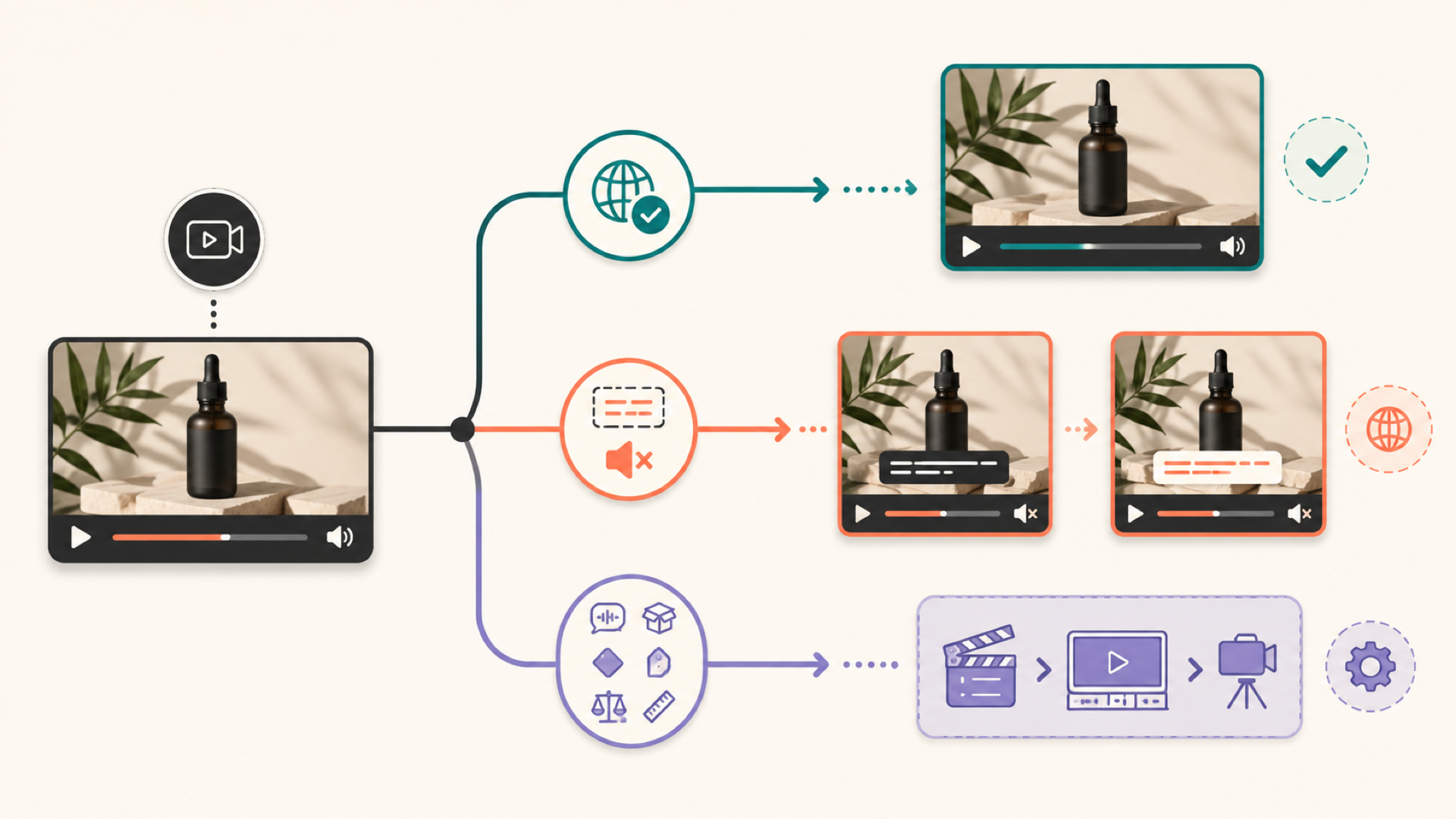
Reuse unchanged. Use the file as-is only when the destination language and every audible and visible element you checked above, including speech, subtitles, and product text, are already correct for the target listing.
Localize the subtitles. This path applies only when the video is a short product video with source-language subtitles already hardcoded or burned into the frames, and a translated, muted version fits your intended use. If that describes your file, see the guide to translate burned-in subtitles for the task itself. Subtitle localization replaces on-screen subtitle text; it does not touch spoken audio, packaging, or claims.
Rebuild or route elsewhere. If the destination market needs translated or dubbed speech rather than subtitles, that work falls outside subtitle localization. See dubbing versus subtitle translation to decide which format fits your case. Rebuild the asset, or edit it manually, whenever packaging, labels, prices, units, or product claims need to change, since subtitle replacement cannot safely alter those elements.
For a suitable short product video, LumoCut can remove or reduce hardcoded subtitles where possible, add translated subtitles, remove the original audio, and export a muted MP4. This fits videos with a relatively stable subtitle area and a simpler background, and it does not mean the resulting file is ready for Amazon.
Whichever path you take, verify the resulting file against the live Amazon requirements again before you submit it. A file that passes a subtitle localization step is not automatically ready for Amazon; it still needs the file, metadata, and product-information checks above.
Submit the Video and Check What Amazon Shows
Amazon's May 12, 2025 guide documents two upload routes: Catalog > Upload and Manage Videos, and Catalog > Upload Images, followed by Image Manager > Videos. Either route asks for a title, ASIN where applicable, video type, brand association, Language of video, and a thumbnail.
After you submit, Amazon reviews the shoppable video against its community guidelines and returns a Published or Rejected status (Amazon, May 12, 2025). If the status is Rejected, open the recorded reason through the Manage flow rather than guessing at the cause. The full current guideline text was not available for this guide, so treat any rejection reason you see as the authoritative explanation rather than assuming a generic list applies.
If a video shows Published but is not visible on the listing, Amazon's May 12, 2025 troubleshooting guidance points to the number of product images: the guide lists fewer than six images as a condition for main-media-block display. Treat this as dated troubleshooting guidance rather than a guarantee, since display also depends on other factors Amazon controls.
Amazon Product Video Pre-Upload Checklist
Use this worksheet as a repeatable operational check. Amazon product video requirements can change (Amazon, May 12, 2025), so the source-date and live-verification columns matter as much as the check itself.
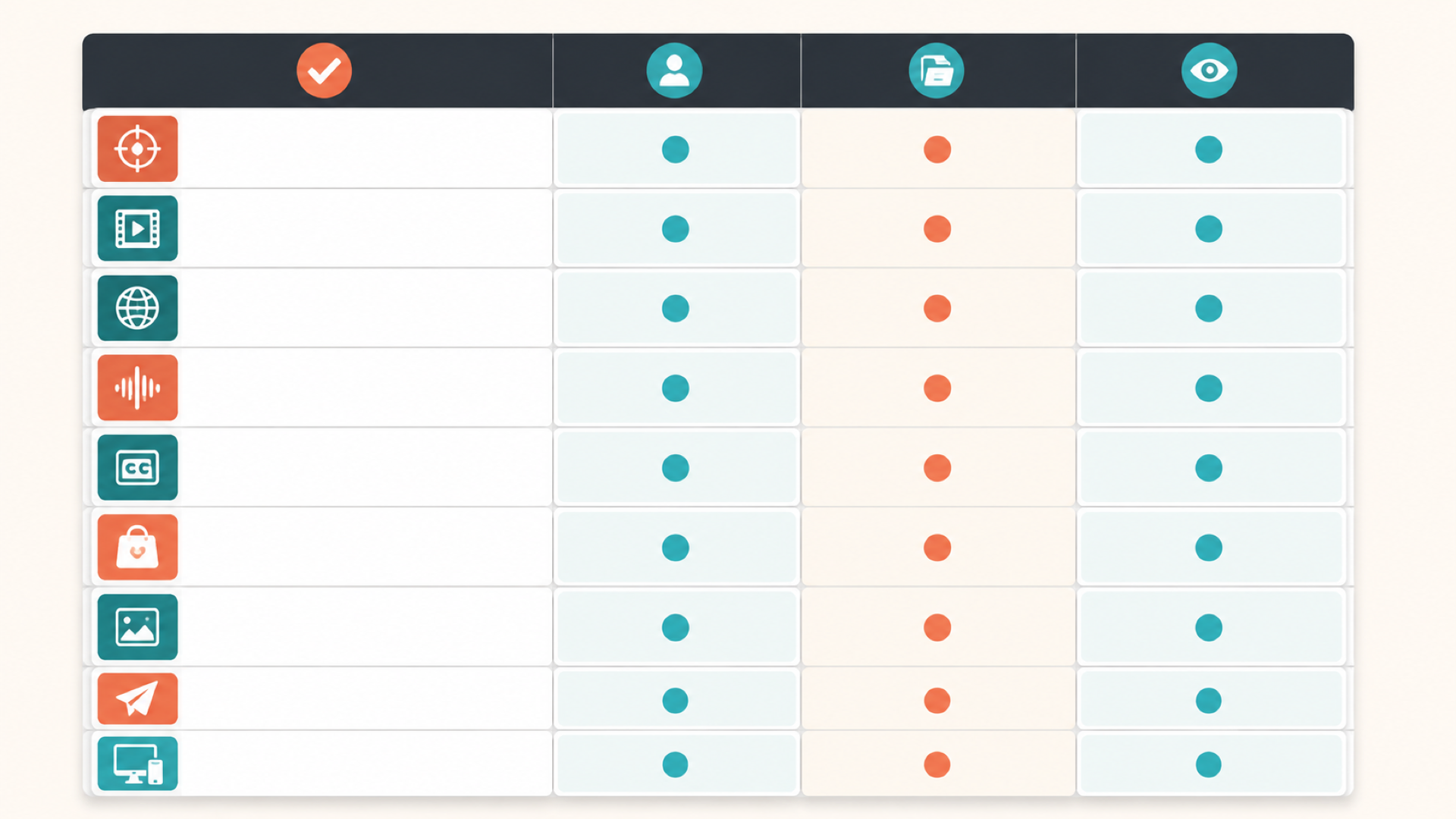
| Check | Owner | Source date | Verify live |
|---|---|---|---|
| Placement matches product-detail-page shoppable video | Seller | May 12, 2025 | Yes |
| Format, resolution, file size, duration | Seller | May 12, 2025 | Yes |
Language of video metadata selected correctly | Seller | May 12, 2025 | Yes |
| Spoken audio matches destination market | Seller | Manual review | Yes |
| Hardcoded or burned-in subtitles reviewed | Seller | Manual review | Yes |
| Labels, packaging, prices, units, claims reviewed | Seller | Manual review | Yes |
| Thumbnail reflects the video accurately | Seller | May 12, 2025 | Yes |
| Submission fields complete (title, ASIN, video type, brand association) | Seller | May 12, 2025 | Yes |
| Published or Rejected status checked after submission | Seller | May 12, 2025 | Yes |
| Live listing page reviewed for display | Seller | May 12, 2025 | Yes |
Frequently Asked Questions
Does choosing Language of video translate the video?
No. Amazon's documented Language of video field is a metadata selection in the submission workflow. It does not translate speech, hardcoded subtitles, labels, or any other visible text inside the video file itself.
Can I use the same product video in another Amazon store?
Amazon's November 11, 2024 announcement says a main-image-block video may appear on shared global listings, and that some videos may not appear during testing. Check the actual destination store yourself rather than assuming automatic display or translation.
Does a video meet Amazon requirements automatically after subtitle localization?
No. Subtitle localization only replaces on-screen subtitle text. Amazon readiness also depends on file properties, submission metadata, product-information accuracy, and Amazon's own review, all of which need separate confirmation.
What should I do if Amazon marks the video as rejected?
Open the Manage flow for that video and read the specific reason Amazon recorded. Address that stated reason directly rather than applying a generic troubleshooting checklist, since the complete current guideline text was not publicly readable during this research.
Final Check Before Upload
Before you submit, re-confirm the live Seller Central requirements one more time, since values can change after this guide is published. For optional visual context, see examples of translated subtitle versions.
Remove the source subtitles, then add translated subtitles in one flow.
Start for free