


HeyGen Alternatives for Existing Product Video Localization
Compare HeyGen alternatives for existing product videos by the job you need done: dubbing, editor-led subtitles, or visible subtitle replacement.

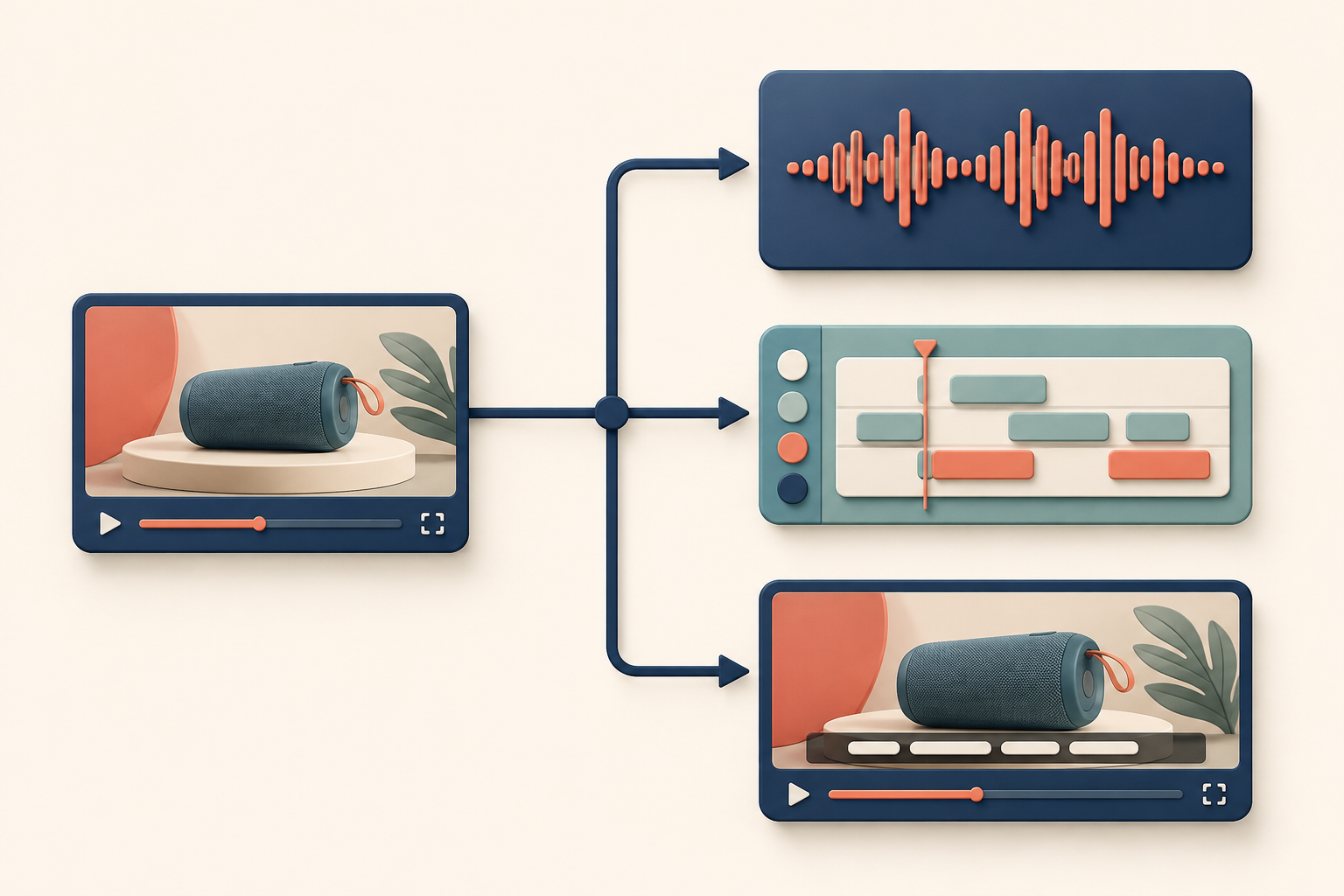
If you already have a short product video and need to localize it, the right HeyGen alternative depends on which layer of that video actually needs to change. Some teams need to re-voice spoken audio. Some need an editor to rework subtitles as part of a broader edit. Others have a video where the source-language subtitles are already burned into the frame and just need translated subtitles rendered in that same spot. These are different jobs, handled by different tools, and treating them as one decision is what leads buyers to the wrong product. As explained in dubbing and subtitle translation for product videos, spoken audio and visible subtitles are separate layers of a video, and matching your tool to the layer is the fastest way to narrow a HeyGen alternatives search.
Key Takeaways
- Match the tool to the layer that needs to change: spoken audio, editor-led subtitles, or visible source subtitles already in the frame.
- HeyGen Video Translation and Synthesia Dubbing re-voice spoken audio in an existing video but do not translate text baked into the source image.
- VEED's Video Translator supports an editor-led upload, translate, and caption-editing path, but does not establish removal of source captions already burned into frames.
- LumoCut Subtitle Localization is a narrow fit: short ecommerce product videos with embedded source subtitles that need translated subtitles rendered in place, with a muted MP4 export.
- None of these categories is a universal winner. Each is bounded by what its own documentation supports.
A decision table for existing product videos
This is a fit framework for an existing product video, not a ranking of one HeyGen alternative over another.
| Buyer need | Documented workflow category | Relevant option | When it's the wrong fit |
|---|---|---|---|
| Re-voice spoken audio in an existing video | Video translation / dubbing | HeyGen Video Translation | Visible source subtitles are the only thing that needs to change; this workflow does not translate text baked into the frame. |
| Dub spoken audio with optional lip-sync | Dubbing | Synthesia Dubbing | On-screen text and burned-in captions in the original video are not translated by this workflow. |
| Translate a video and continue editing captions and presentation | Editor-led subtitle workflow | VEED Video Translator | The evidence does not establish that it removes or replaces source captions already baked into frames. |
| Replace source subtitles already visible in a short ecommerce product video | Subtitle localization | LumoCut Subtitle Localization | The buyer needs dubbing, voiceover, lip-sync, a full editing timeline, or translation of arbitrary animated scene text. |
For a wider look at how these categories compare beyond the four options above, see the broader video subtitle translator comparison.
When spoken audio is the part that needs localization
If the existing product video's spoken audio is what needs to change, HeyGen Video Translation supports uploading an existing video, project, or supported URL and re-voicing the spoken audio, with an option to add lip movement and captions. Synthesia Dubbing offers a comparable route: uploading an existing video or YouTube link and creating a dubbed version with an optional lip-sync setting.
Both are documented video translation workflows for spoken audio, and both have the same boundary stated in their own documentation: text that's baked into the source image is not part of what gets translated. HeyGen's workflow specifically notes that hard-coded captions and on-screen graphics aren't translated. Synthesia's dubbing workflow states the same limitation for on-screen text, burned-in captions, titles, and graphics in the original video. This limitation belongs to the named workflow, not the entire product line for either vendor, but for the purpose of an existing product video, it means an audio-first tool is the wrong fit whenever the thing that needs to change is a subtitle already visible in the frame.

When a team needs an editor-led subtitle workflow
Some teams don't just need translated audio or a subtitle swap; they need to touch the whole caption and editing layer of the video. VEED's Video Translator documents a path for that: upload a video, choose a target language and voice, add automatic subtitles, and then either export or keep editing, including trimming, resizing, and styling captions.
That's a genuinely different workflow from a pure subtitle-replacement tool, because it puts the caption layer inside a broader editor rather than treating it as an isolated swap. It's worth being precise about what the official VEED page does and doesn't establish: it describes adding and editing subtitles as part of the translation and export flow, but it does not establish that this process removes or replaces source captions that are already baked into the original video's frames. If your existing video already has hardcoded subtitles in the picture, an editor-led subtitle workflow like VEED's is a reasonable choice when you want general editing control, but it isn't verified as a fix for burned-in captions specifically.

For more on how editor-led options compare to other subtitle and translation tools, see the broader video subtitle translator comparison.
When visible source subtitles need replacement
There's a narrower case than either of the above: a short ecommerce product video where the source-language subtitles are already visible, embedded directly in the frame, and need to be replaced with translated subtitles rendered in the same place. This is the specific scope LumoCut Subtitle Localization documents: removing the embedded source subtitle layer, rendering translated subtitles in its place, muting the source audio, and exporting an MP4.
This is a deliberately bounded workflow, and its published exclusions matter as much as what it does. LumoCut's subtitle localization does not cover dubbing, voiceover, lip-sync, a full editing timeline, or translation of arbitrary animated scene text. If your video needs any of those, this isn't the right category regardless of whether it has embedded subtitles. It's relevant specifically when the asset is a short ecommerce product video, the source subtitles are already burned into the frame, and the fix needed is a like-for-like subtitle replacement rather than a broader edit. Before assuming this is your case, it helps to first assess a visible subtitle area in your own footage.

Questions to answer before choosing a HeyGen alternative
Before evaluating any specific tool, work through these questions about the existing asset:
- Is this an existing video, rather than a new avatar or product video you're producing from scratch?
- Is the part that needs to change the spoken audio, an editor-level subtitle task, or visible source subtitles already burned into the frame?
- Does the buyer need a full editing timeline, or just a targeted fix to one layer of the video?
- Is the video a short ecommerce product video, or a longer, more general asset?
- Does the final output need to be a muted MP4, or does spoken audio need to remain?
Answering these first eliminates mismatched categories before you evaluate a specific HeyGen alternative on price or features. For the embedded-subtitle branch specifically, subtitle localization documents the exact scope to check against.
Choose the workflow that matches the asset
There's no single best HeyGen alternative here, only a set of categories bounded by what each vendor documents. If the job is re-voicing spoken audio, HeyGen Video Translation and Synthesia Dubbing are the documented routes. If the job is editor-led subtitle work as part of a broader edit, VEED's Video Translator fits that description. If the job is replacing source subtitles already visible in a short ecommerce product video, without touching audio or the rest of the edit, subtitle localization is the narrow, documented fit. Match the category to the layer that actually needs to change.
FAQ
Which HeyGen alternatives work with an existing video?
It depends on what needs to change in that video. HeyGen Video Translation and Synthesia Dubbing both document workflows for re-voicing spoken audio in an existing, uploaded video. VEED's Video Translator documents an editor-led path for translating and editing subtitles on an existing upload. None of these is a universal replacement for the others; each covers a different layer of the video.
Does an editor-led subtitle workflow replace burned-in source captions?
Not according to the documentation reviewed here. VEED's Video Translator page describes adding, translating, and editing subtitles as part of its workflow, but it does not establish that this removes or replaces captions that are already baked into the original video's frames. If burned-in captions are the problem, it's worth taking time to assess a visible subtitle area before choosing a tool.
When is LumoCut relevant in a HeyGen alternatives search?
LumoCut is relevant only in a specific case: a short ecommerce product video that already has source-language subtitles embedded in the frame, where the need is to replace those subtitles with translated ones rendered in the same place, with the source audio muted. It's not a fit for dubbing, voiceover, lip-sync, a full editing timeline, or translating arbitrary animated scene text.
Conclusion
Choosing among HeyGen alternatives for an existing product video starts with identifying which layer of the video needs to change, not with ranking tools against each other. Spoken audio, editor-led subtitle work, and visible source subtitles already in the frame are three distinct jobs, each documented by a different set of vendors with its own scope and exclusions. Start there, and you'll rule out mismatched categories before you ever compare specific products. For a wider comparison of tools across these categories, see the broader video subtitle translator comparison.
Try translating the subtitles in a video you already have
Start for free